

Introducing Nutrify 3.0

Table of contents
Nutrify 3.0 is out!
In this update we’ve left no modality behind and made Nutrify much easier to use when it comes to corrections.
Snap it, text it, say it, scan it
Previously Nutrify focused on visual inputs only.
The workflow would be take a photo of food and Nutrify would break it down into verified nutrition information.
With Nutrify 3.0, we’ve expanded that workflow from photo only to text, voice and barcodes.
You can now learn about and track foods by:
- Taking a photo of your meal, uploading a screenshot or taking a photo of a recipe
- Texting Nutrify what you ate
- Leaving Nutrify a voice memo
- Scanning a barcode of a packaged product
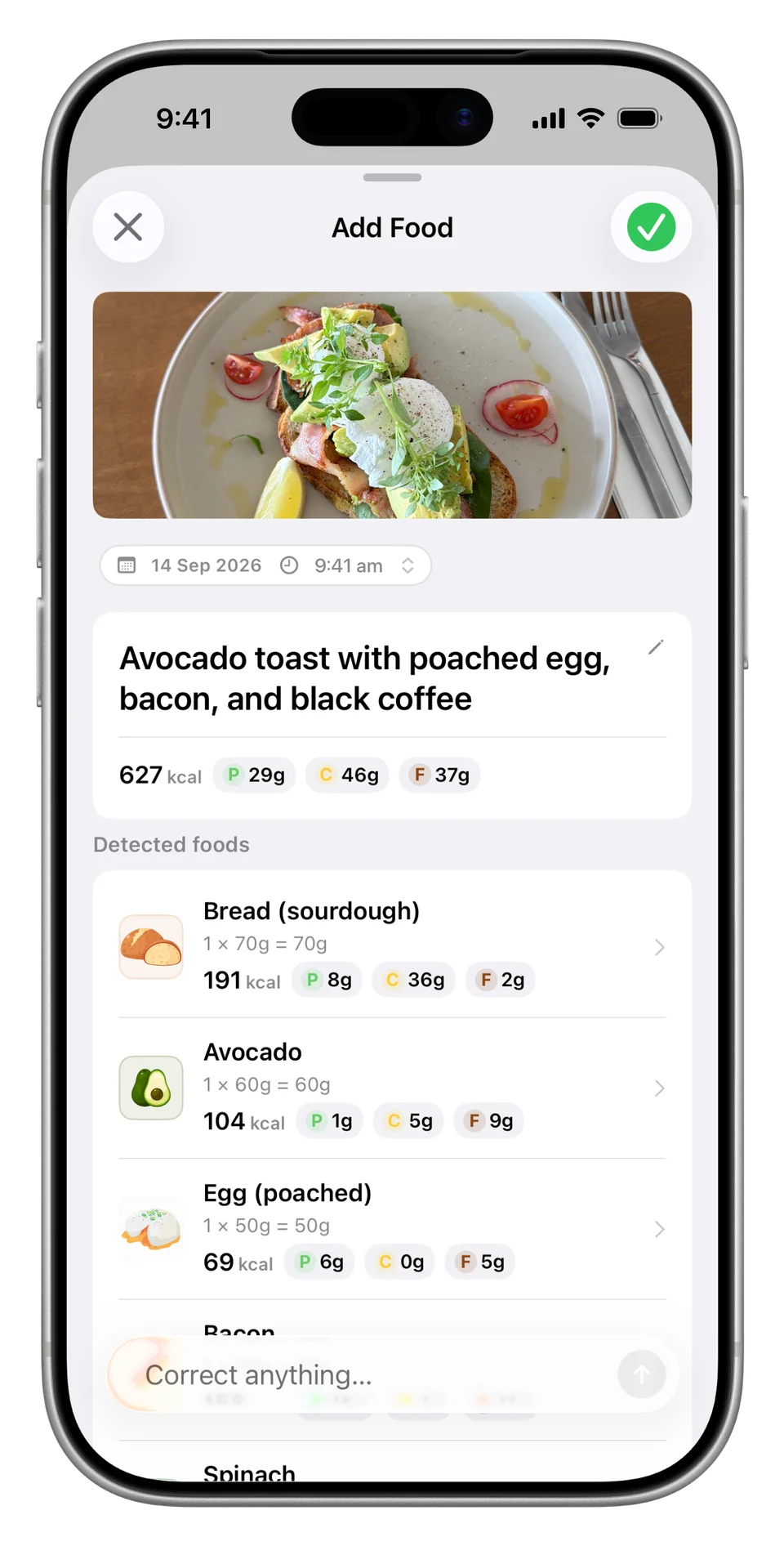
Snap it. Take a photo of your meal, upload a screenshot or take a photo of a recipe.
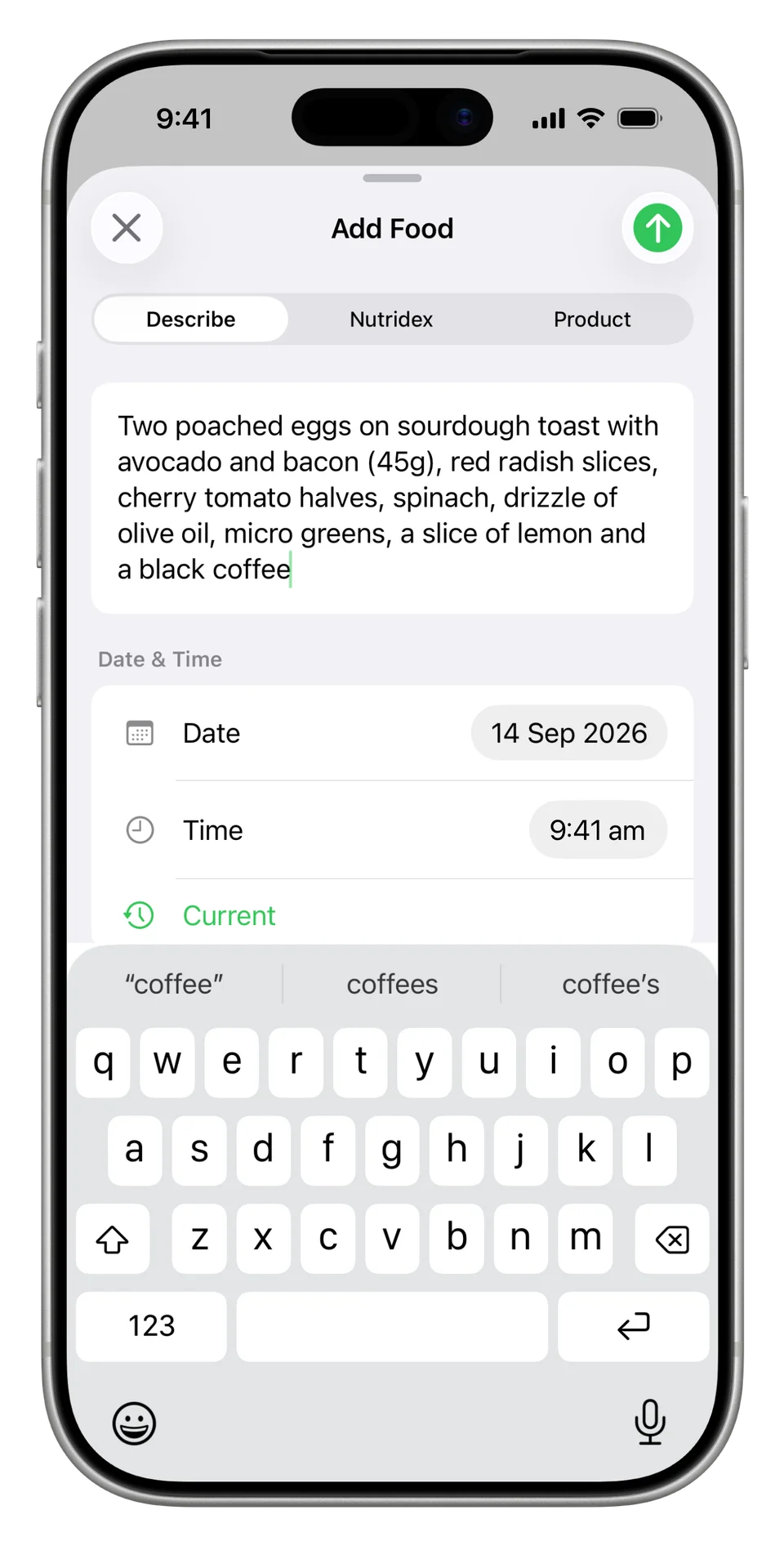
Text it. Write down what you ate, get as specific as you like and Nutrify will break it down.
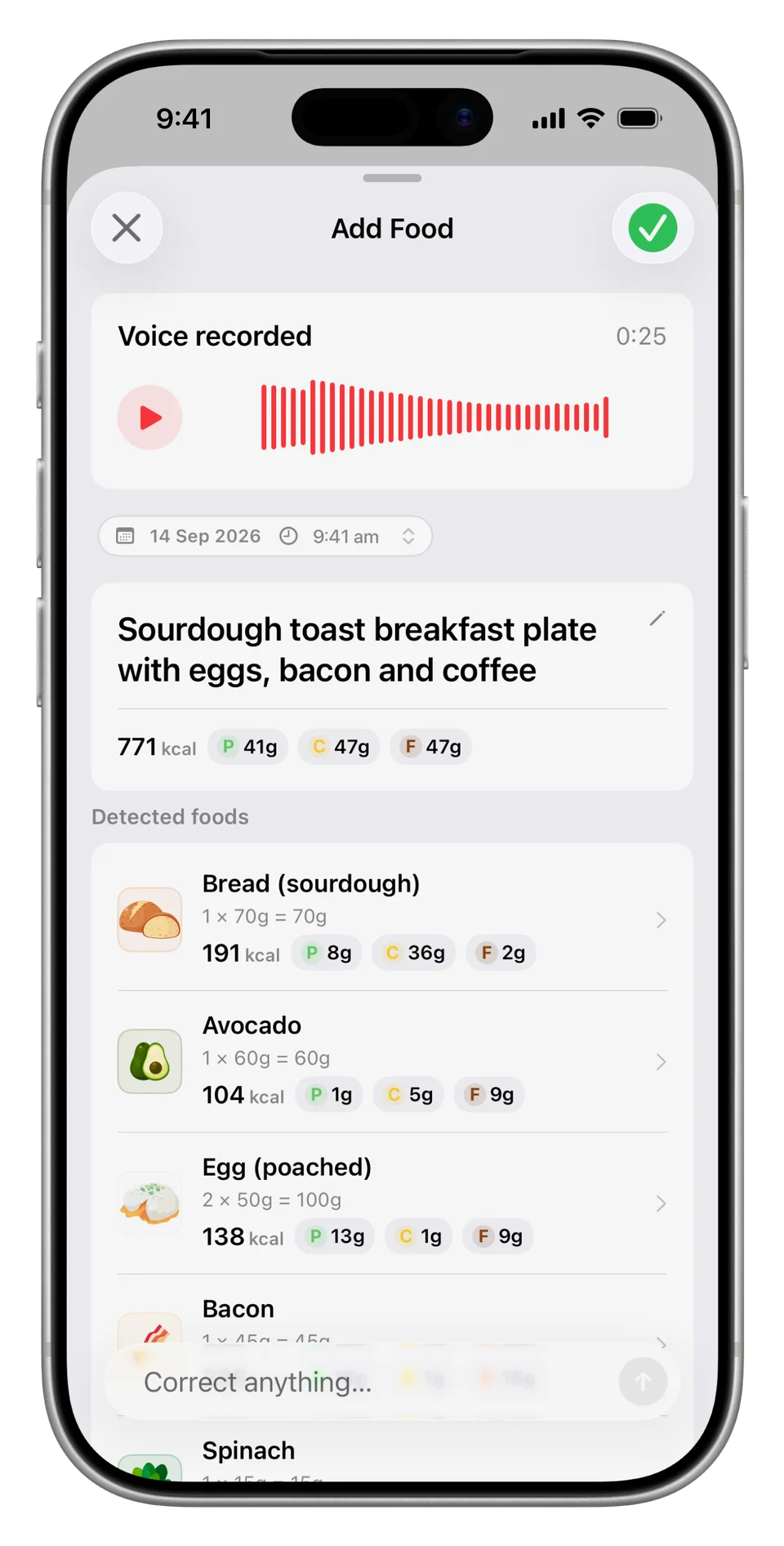
Say it. Sometimes it’s easier just to say it all out loud.
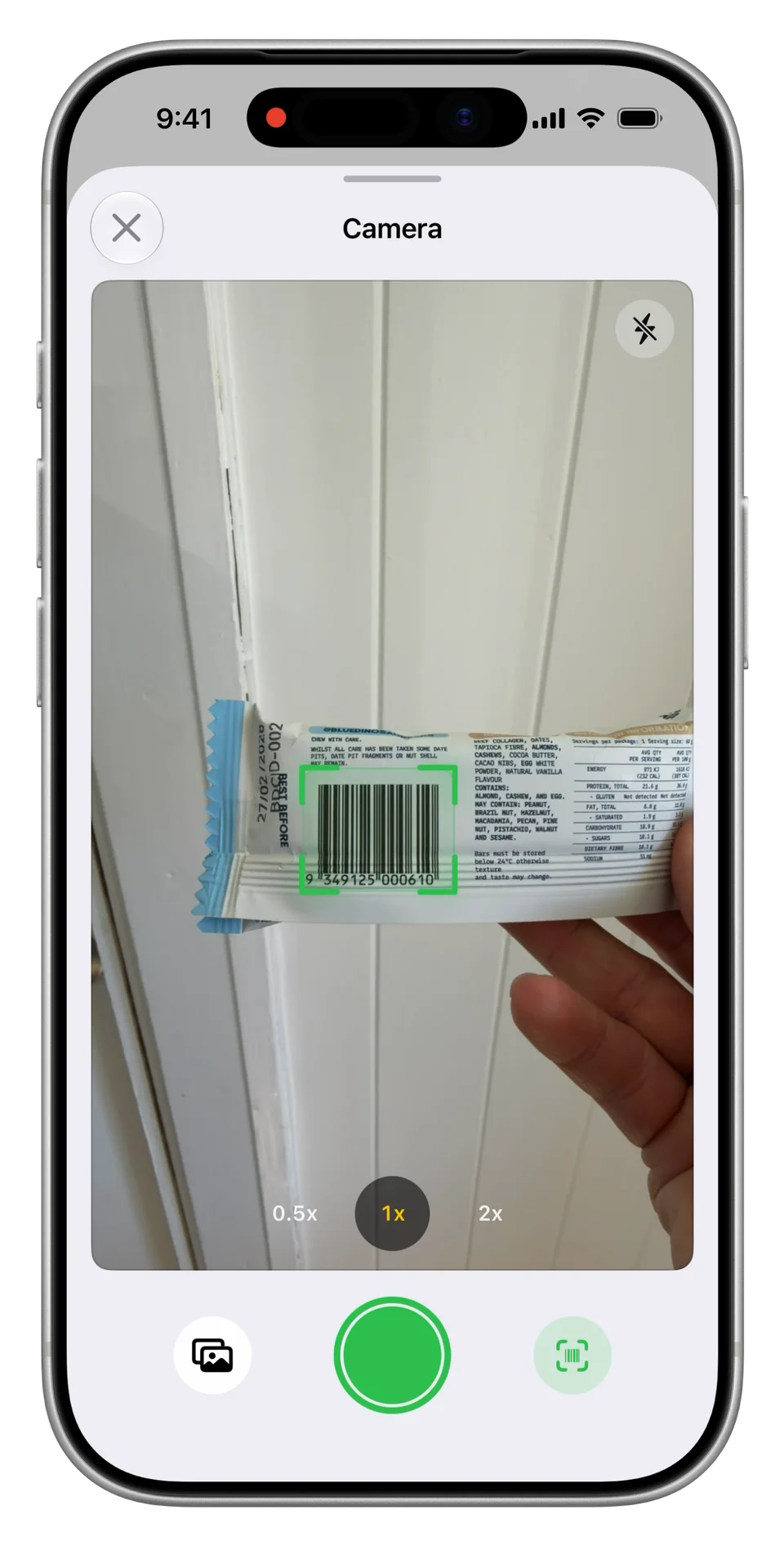
Scan it. Scan a barcode of a packaged product, our database has over 3 million items in it. And if we don't have it, you can use AI to automatically extract the details from a photo of the front and back.
Text to correct
We’ve tuned Nutrify to work quite well with most everyday foods.
However, meals are as unique as the people who eat them.
So if you take a photo of your lunch and Nutrify makes a mistake, you can text through the correction.


 My coffee had soy milk
 Divide this banana bread recipe by 8
 Break the pesto down

 Remove the honey
Text to correct. Changes, updates, removals, additions and decompositions.
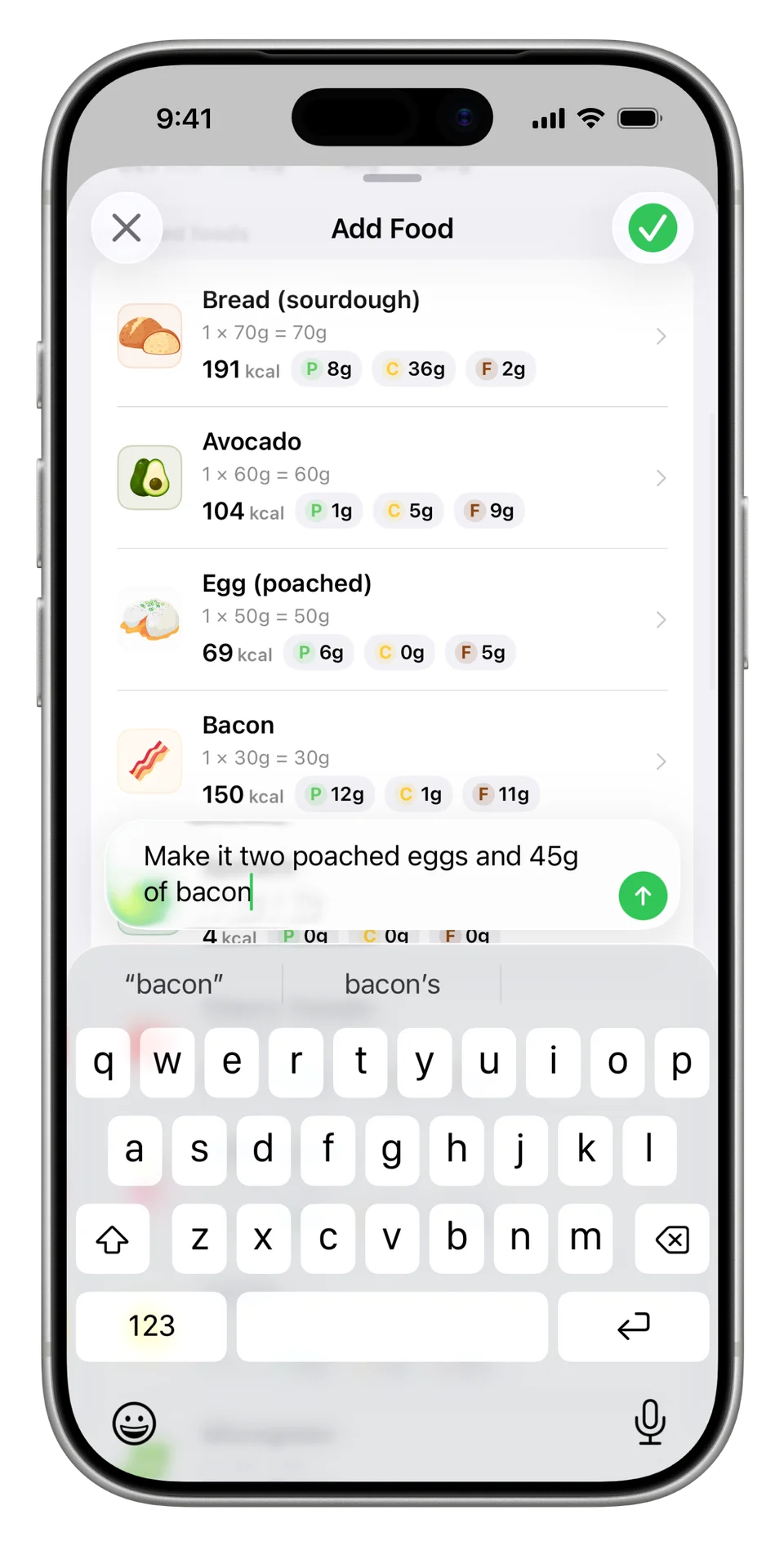
Send a correction. Add this, remove that, double the serves, triple the serves, halve the weights, change the toppings. Update Nutrify's log like you're texting a friend.
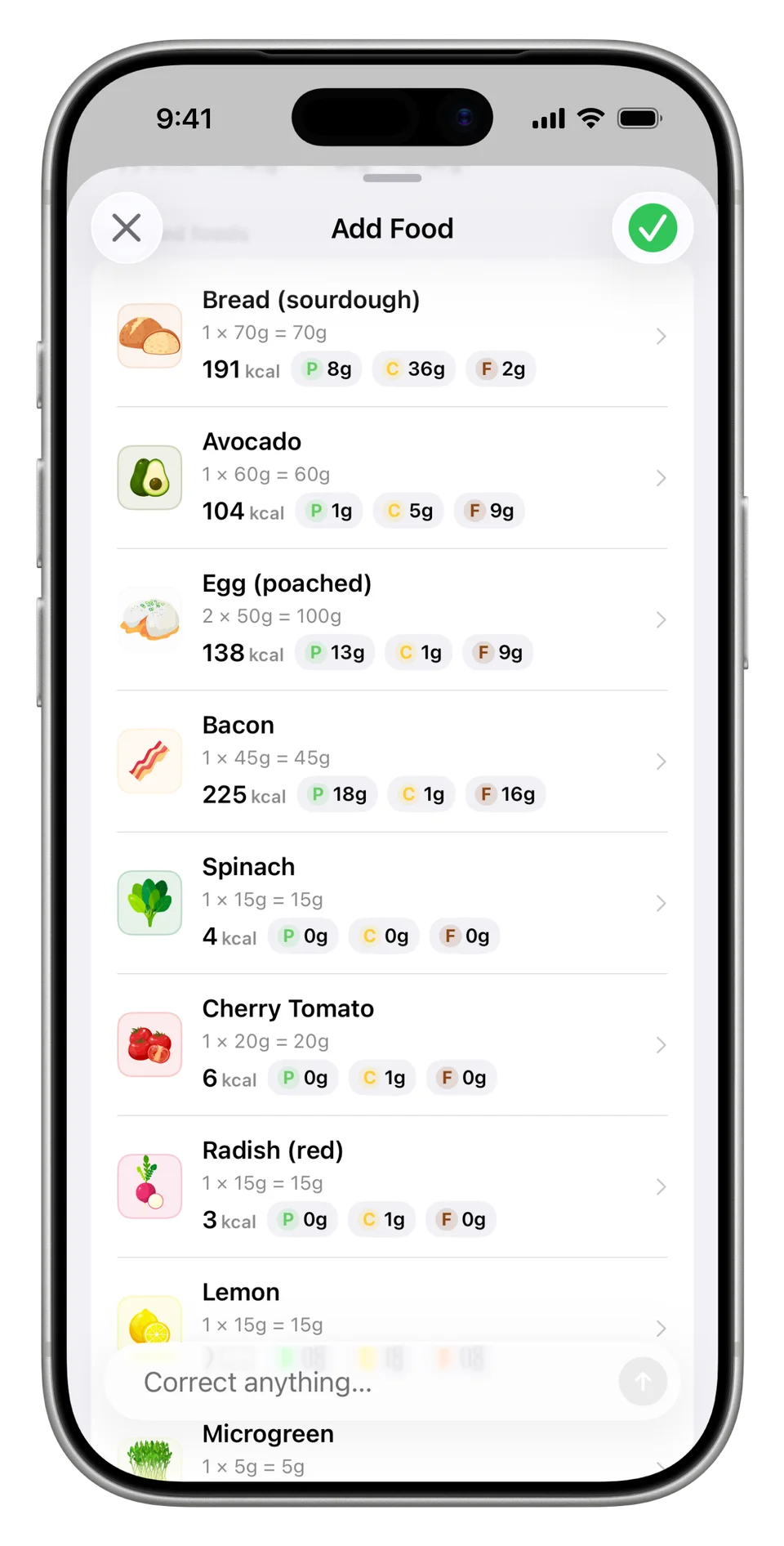
Your updated meal. Nutrify updates the foods and amounts.
From recipe to portion
Text to correct works with changes, updates, removals, additions and decompositions. We’ve designed it so if you can say it, you can send it to Nutrify.
For example:
- Correct a similar looking item: “Change peanut butter to almond butter”
- Update a misidentified sandwich filling: “Remove the mayonnaise and add Swiss cheese”
- Change the milk: “Change to oat milk” or “My coffee had soy milk”
- Change amounts and add extra foods: “There’s 4 fried eggs, double the serving of toast and add a cappuccino”
- Halve a meal you shared with someone else: “I ate half of this”
- Decompose a component to get specific: “Break the pesto down into pine nuts, basil leaves, Parmesan, salt, garlic and olive oil”
- Turn a recipe into a per serve portion: “Divide this banana bread recipe by 8”
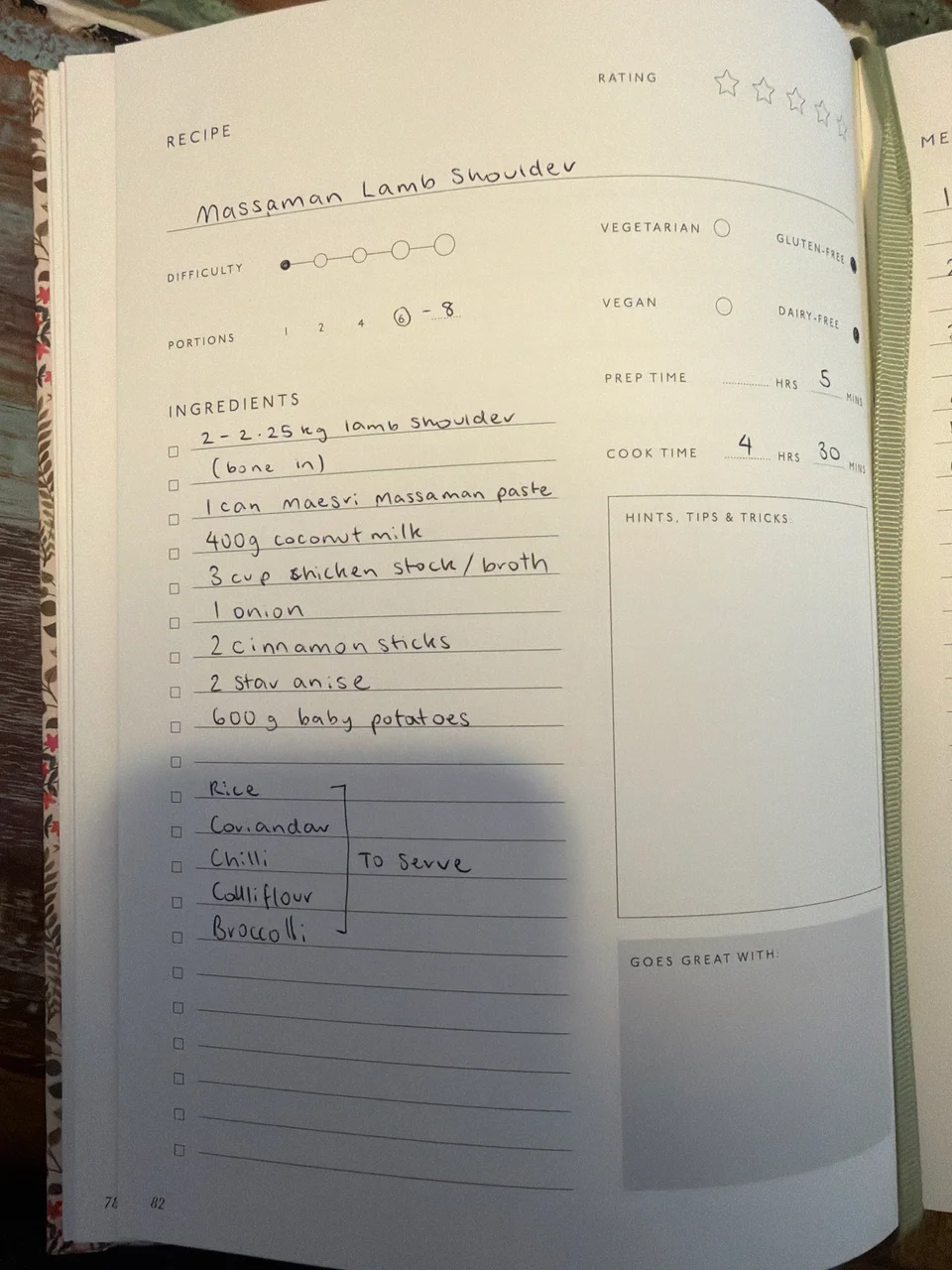
Start with a recipe. Take a photo of a recipe, even a handwritten one.
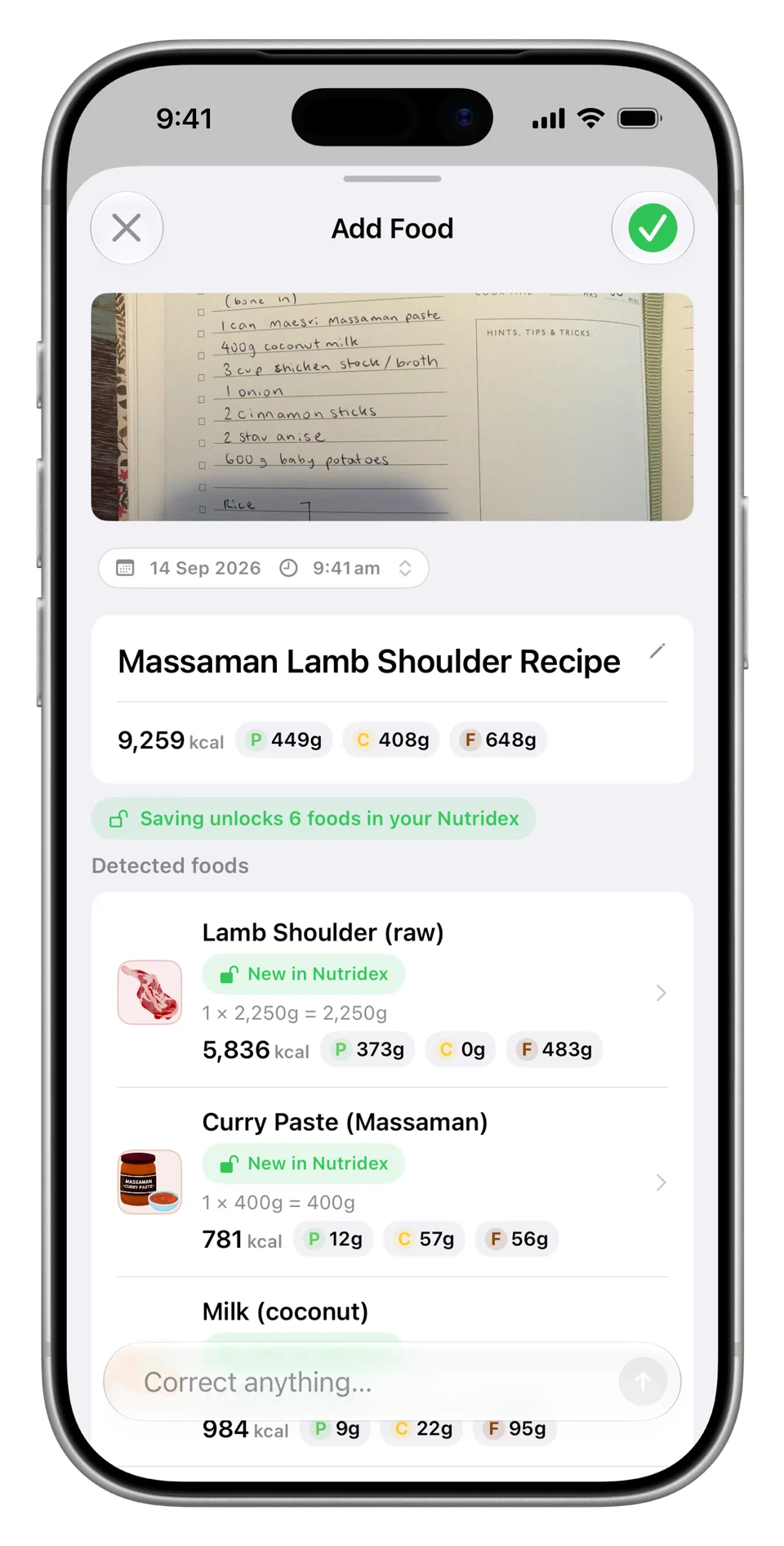
Get the full breakdown. Nutrify reads the recipe and breaks it down into ingredients, amounts and nutrition information.
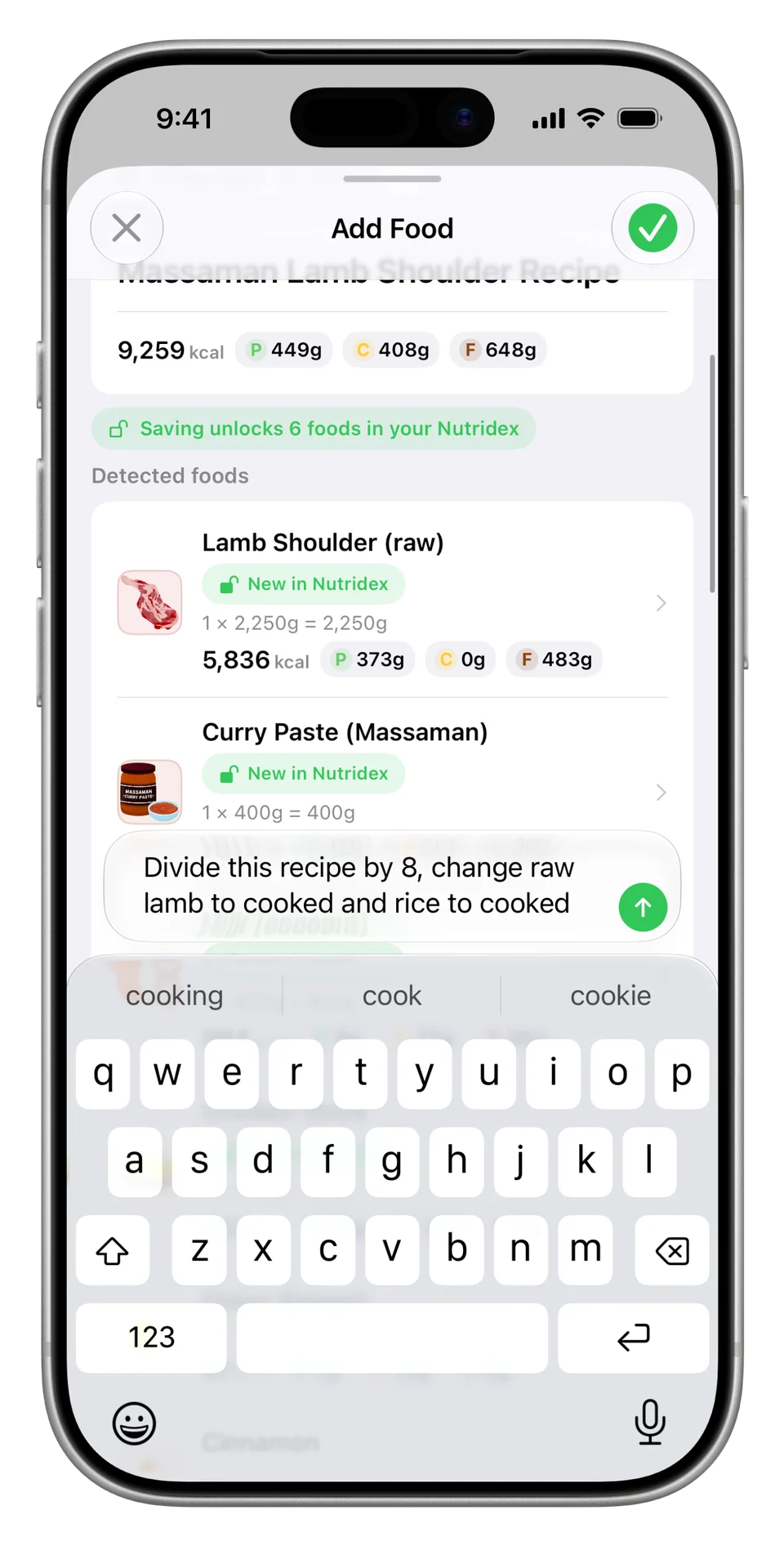
Make it your serving. Ask Nutrify to divide the recipe into the right serving size and change the raw ingredients to cooked (unless you ate them raw... you animal).
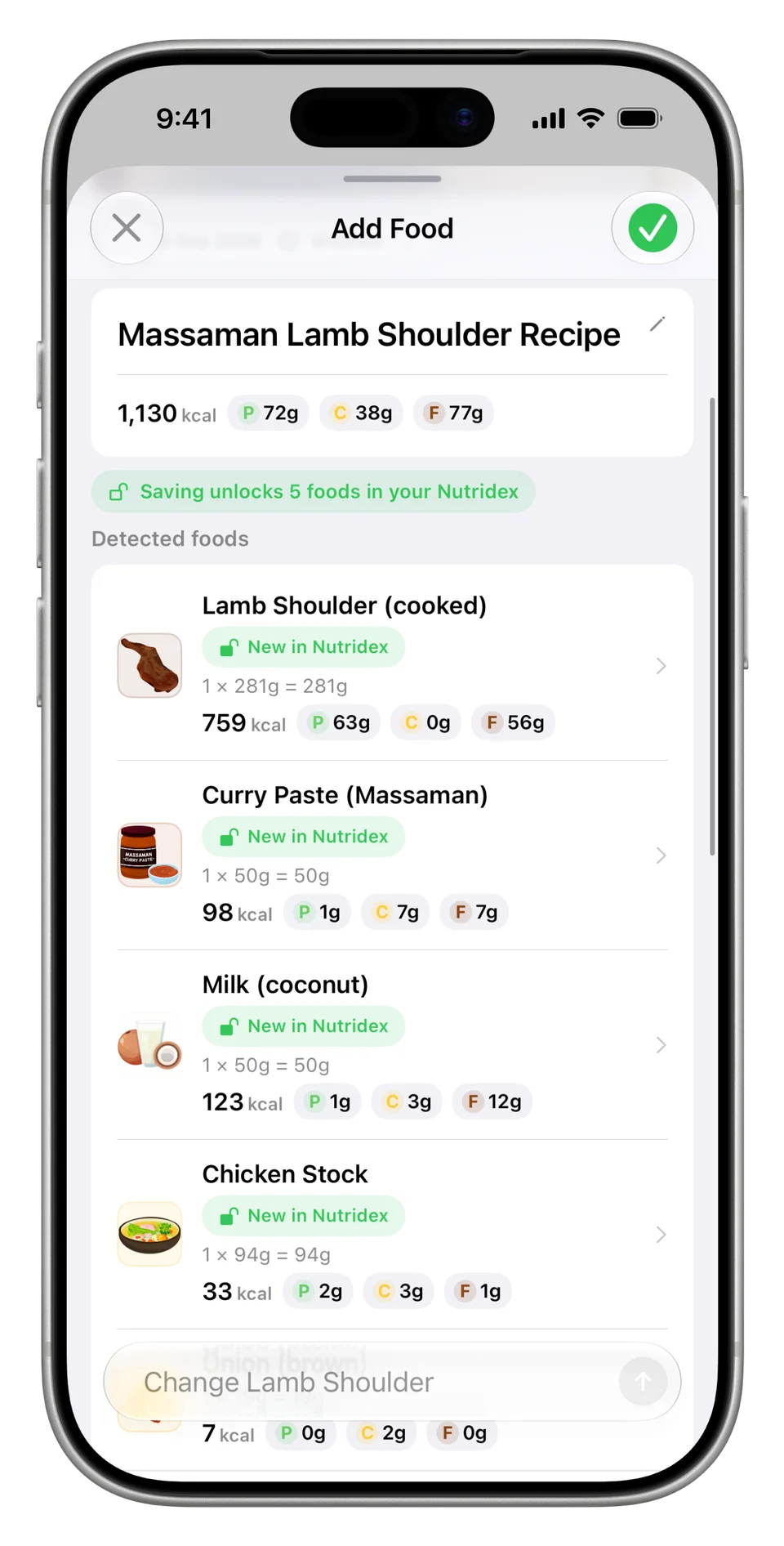
See the updated amounts. The breakdown now shows a single portion, with cooked lamb and adjusted ingredient amounts.
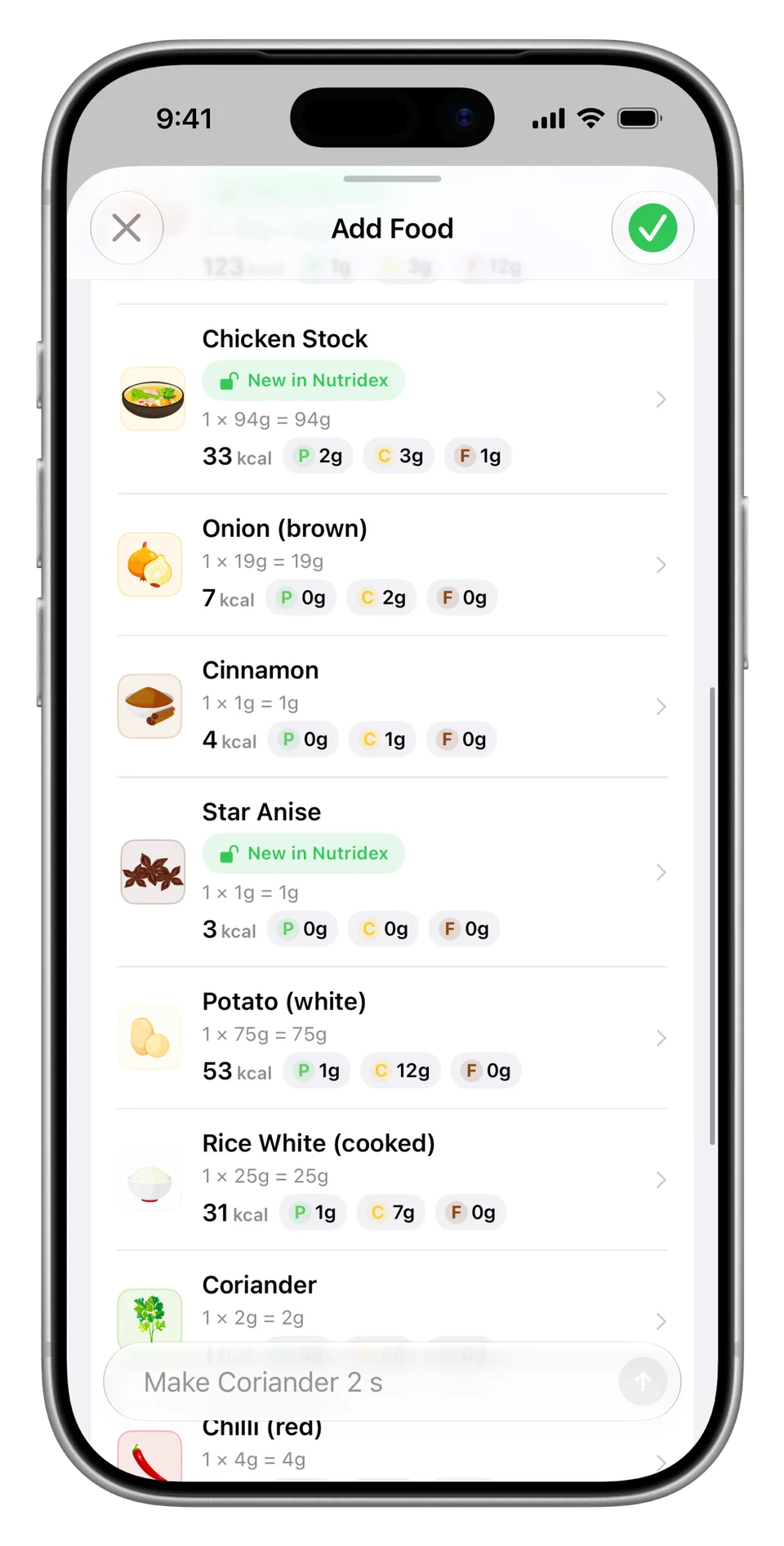
Review, then log. Check the remaining ingredients and make any final corrections.
Share with stickers
Got a secret recipe you think others will enjoy?
Share photos of your meals with friends with fun sticker overlays.
Overlay Nutrify’s custom icons or a nutrition breakdown or both.
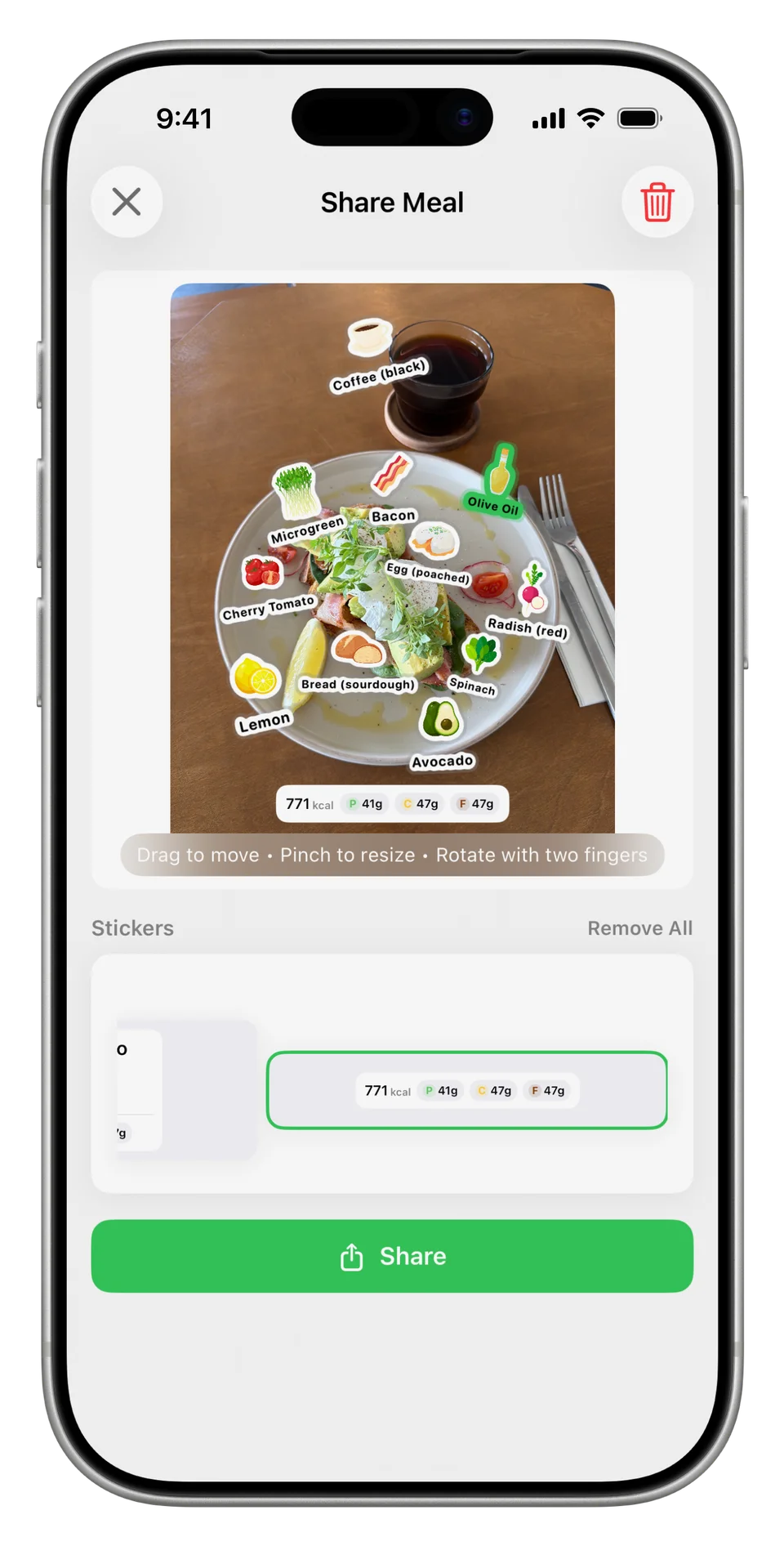
Share your meal. Overlay Nutrify’s custom icons or a nutrition breakdown or both.
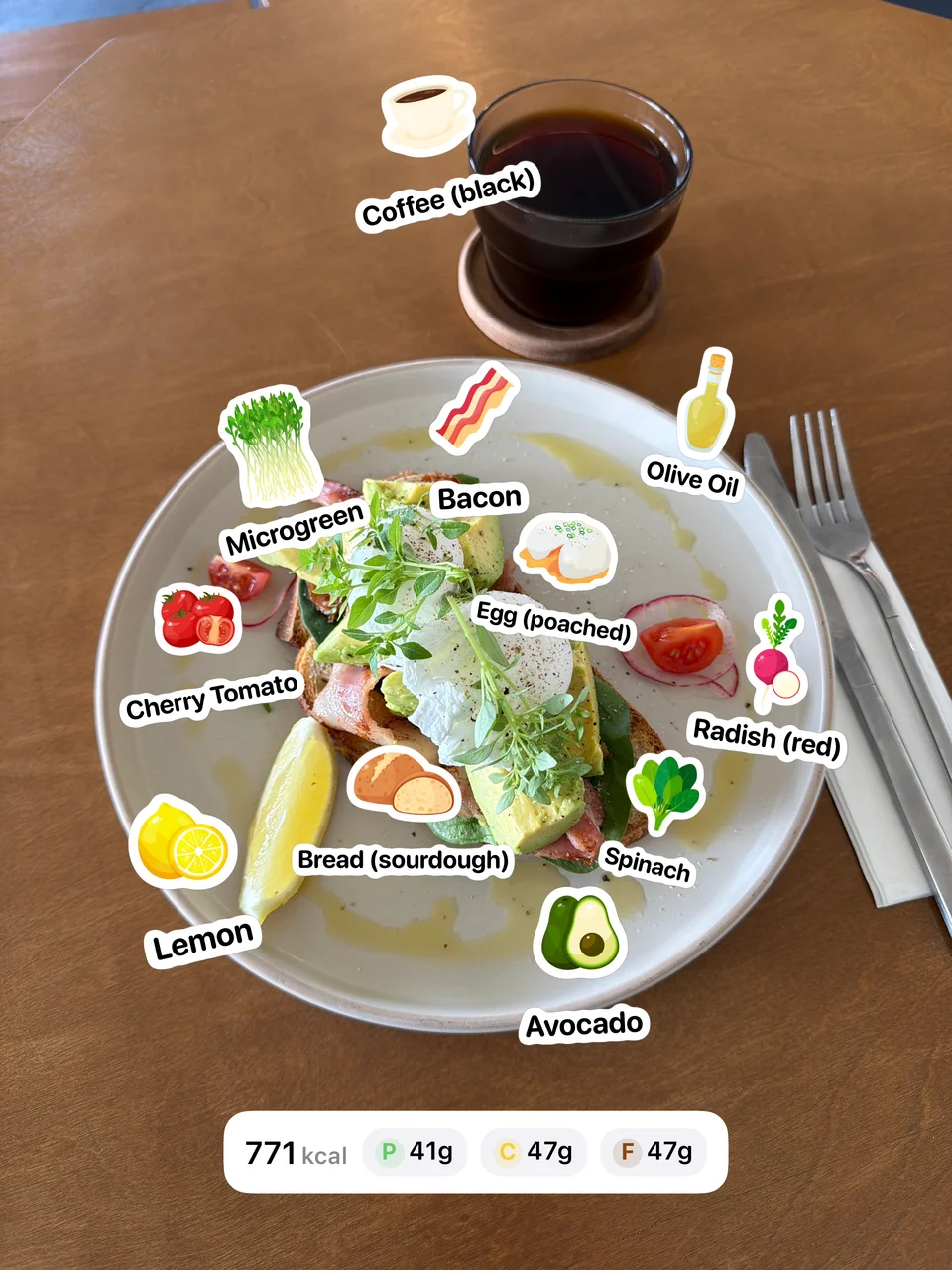
Made to share. Your meal, with food stickers and a nutrition breakdown.
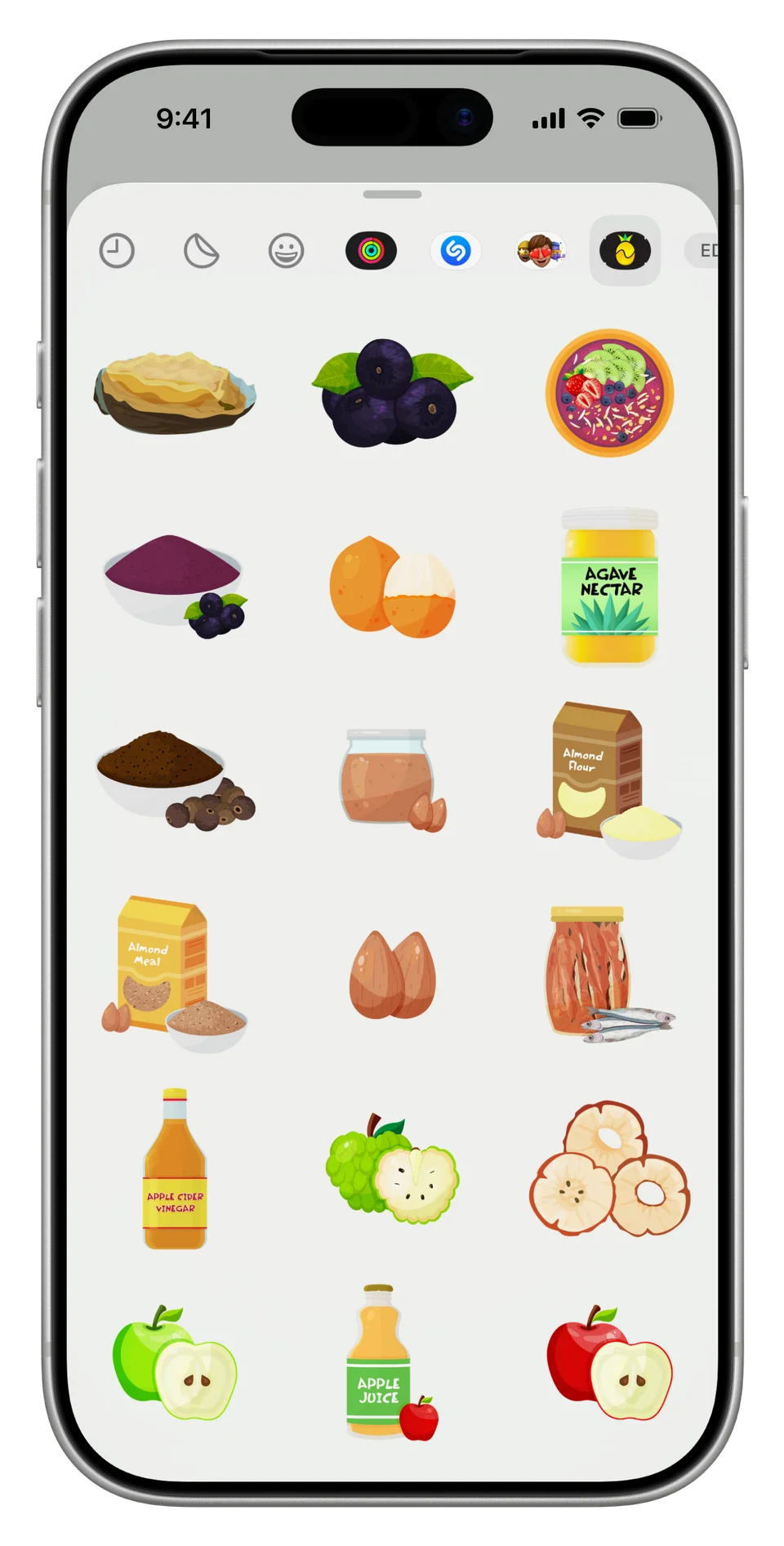
Stickers in iMessage. Share Nutrify’s custom food icons with friends.
Custom goals and easy access
Save favourites
If you consume similar meals or you’ve meal prepped for the week, favourites allows you to save them for easy two tap access.
Log it once and then save it to favourites to add the same entry as often as you like.
For example, I have a similar cup of tea every morning with my wife. Black tea, a small amount of honey, full cream milk. With favourites I can log it in a couple of taps.
Widgets
Add widgets to your homescreen for seeing your nutrition intake at a glance or have your favourite logging option one tap away.
Set goals for every day
Nutrify comes with built-in calorie and macronutrient goals such as:
- lose (slight calorie deficit)
- maintain (keep intake calories close to approximate daily expenditure)
- gain (slight calorie surplus)
which can be calculated directly from your body measurements.
The default is to have the same caloric goals every day.
However, in reality, not every day is the same.
So we’ve made it so you can now set different caloric and macronutrient goals for different days.
For example, on heavy training days you might consume more whereas on rest days, you might trend lower.
In my case, I tend to eat similarly throughout the week and a little extra on Saturdays (a “refeed” day).
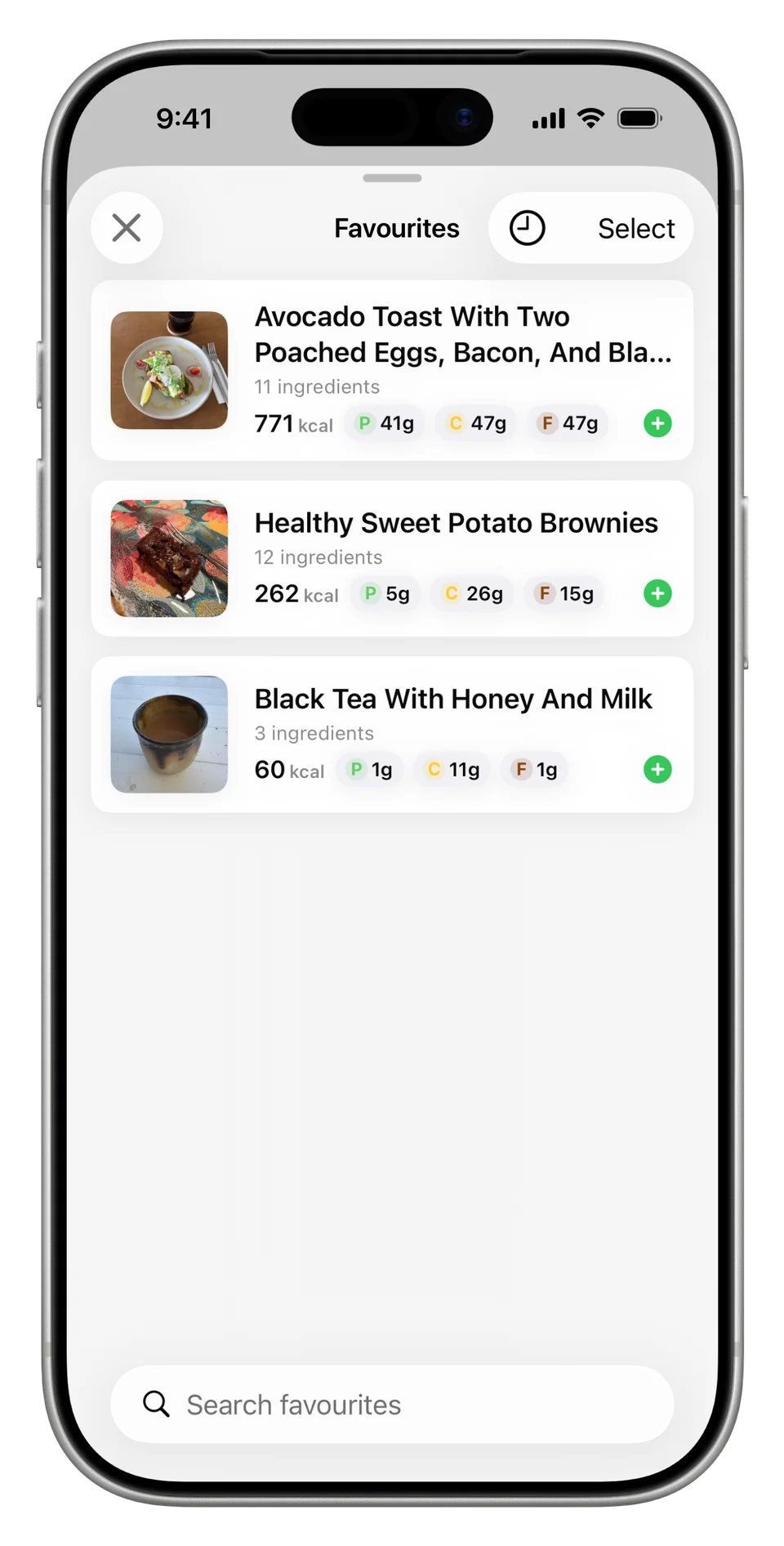
Save favourites. Log it once and then save it to favourites so you can log it again and again and again... and again.
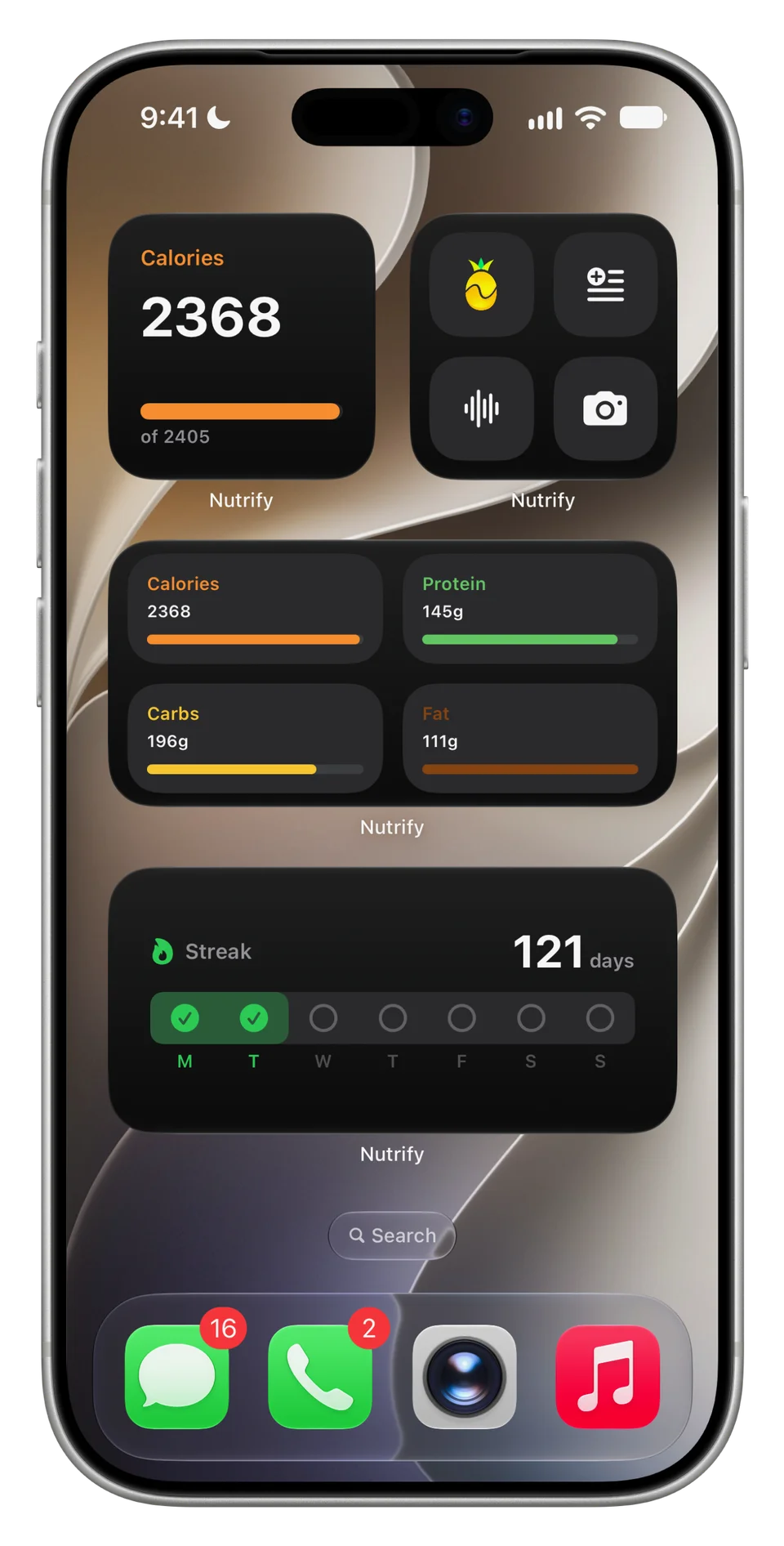
Widgets. See your nutrition intake at a glance or keep your favourite logging option one tap away.
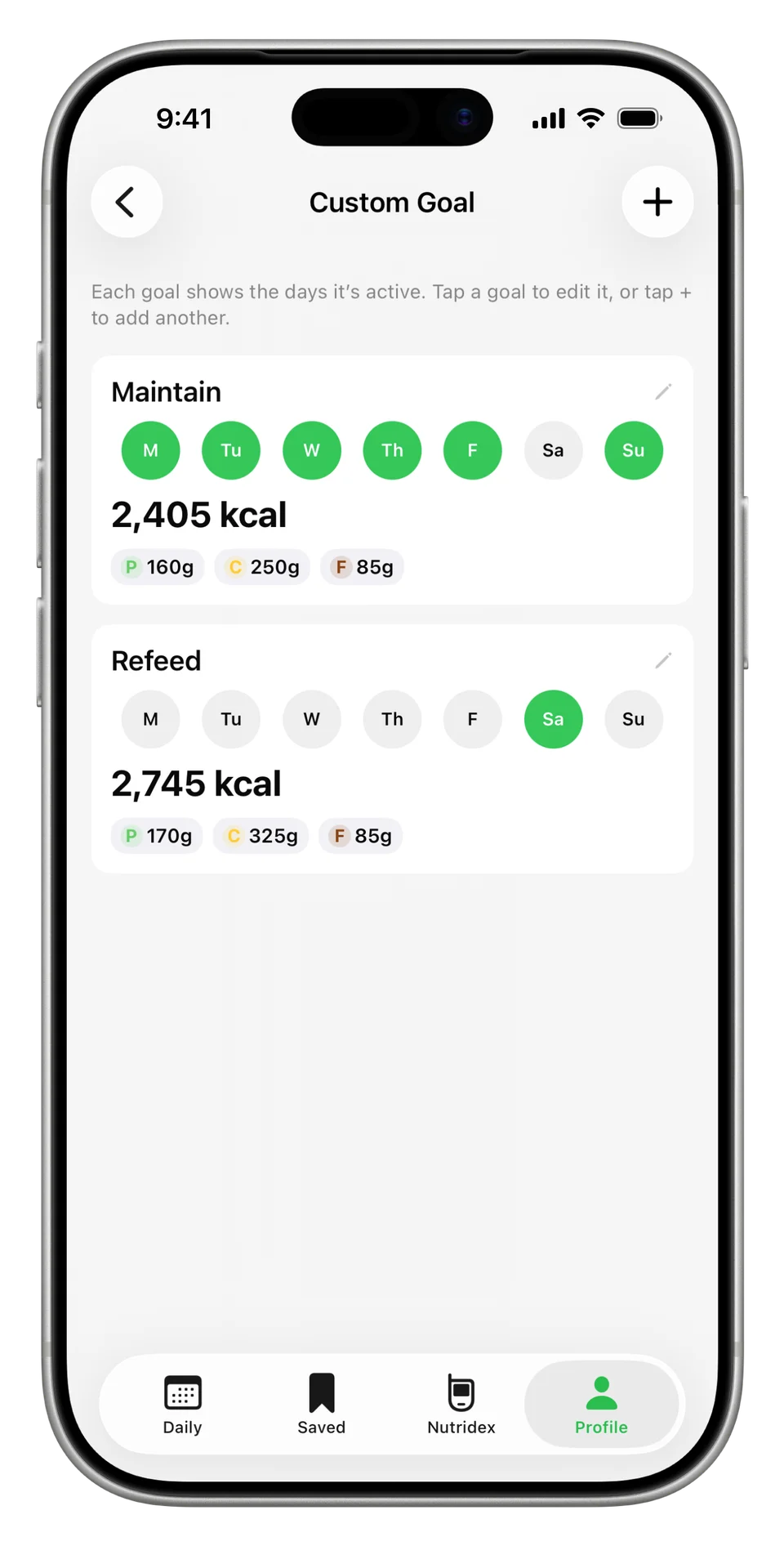
Set goals for every day. Set different caloric and macronutrient goals for different days.
Testimonials
The pinnacle in food tracking software
Look no further than Nutrify. Food tracking has never been more precise via image, barcode, text and voice recording. This coupled with tailored calorie goals depending on your exercise levels makes achieving your goals as easy as pie.... Or cucumber.


I love how many Gluten Free ingredients they have!!
As a busy gal, I never had the time to sit down and write out all of my meals, let alone figure out the macros. Now, I just simply snap a cute pic and the app does the hard work for me! I love that I can share my snaps with my friends, jazzing it up with icons to show what hidden gems I’ve snuck in my meals. I find it really easy to make a voice note later when I inevitably forget to take a photo. It’s helped me be more accountable with my food goals and track my progress.


